Authenticate
 Manage Users
 Customize
 Auth0 AI
 Platform
Configure SAML SSO on Auth0
- Go to Dashboard > Applications > Applications and create a new application. Give it a meaningful name like GitHub. You can choose any application type, but the Regular Web App type is recommended.
- Go to the Addons tab and enable the SAML2 Web App toggle.
-
On the Settings tab, set the Application Callback URL to :
https://github.com/orgs/{yourGitHubOrgName}/saml/consume.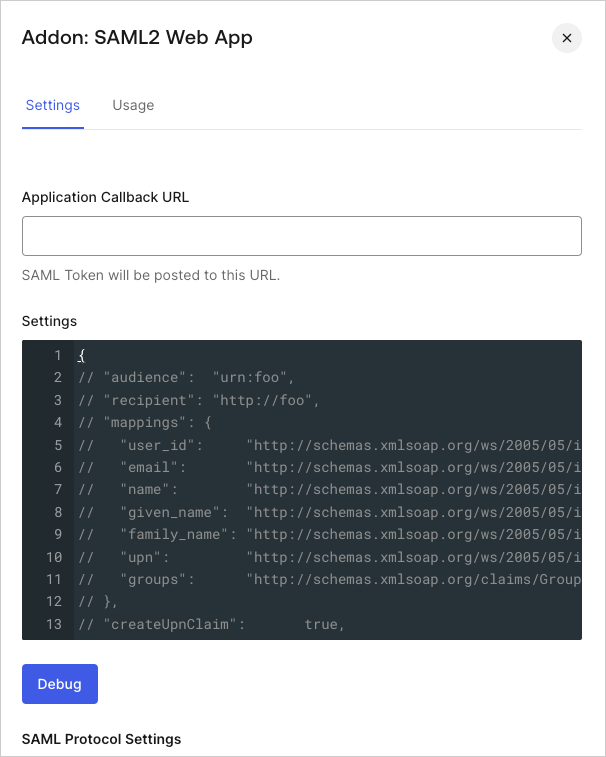
-
Paste the following code into the Settings text box and click Debug.
Replace
{yourGitHubOrgName}with the GitHub organization name that corresponds to your GitHub subscription. For examplehttps://github.yourname.com.- The above mapping will send the
user_idas the Name Identifier to GitHub. Use this option if you enable more than one connection for the GitHub application, as it will ensure uniqueness (every user will have a different ID). - If you are using a single connection, you might prefer to use the
nicknameor another unique identifier as a friendlier Name Identifier, but make sure that the property you choose is unique.
- The above mapping will send the
- Scroll to the bottom of the tab and click Enable.
-
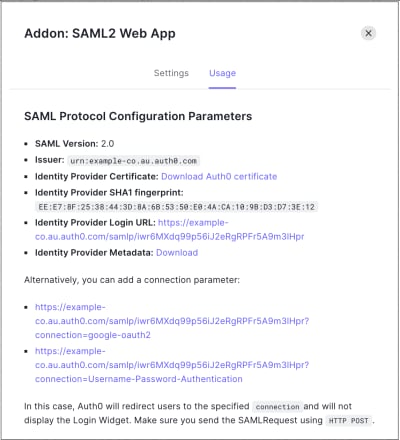
On the Usage tab, locate Identity Provider Metadata, and click Download to download the metadata file. You’ll need this when you configure Auth0 as the identity provider.